local desktop · mac vibes

for the standup generation

Daily Jira work, wired to GitHub — on your machine.

Jira tickets meet GitHub branches — no SaaS circus, no spreadsheet cosplay. Issues load live from the APIs; tokens sit in macOS Keychain. Mappings, UI prefs, and GitHub stat cache live in SQLite on your Mac.

  • no cap · actually useful
  • touch grass after standup
  • git blame but make it pretty
  • 100% live API energy
  • local sqlite mappings
  • 0 servers to babysit
DevMetric dashboard showing Jira task counts by assignee and status for a linked project

Why DevMetric hits different

A focused desktop tool for leads and developers who live in Jira and GitHub — without standing up another server.

  • real-time

    Live data

    Jira issues are fetched live (no cached issue table). GitHub stat keeps a dedicated branch and main commit cache in SQLite until the next full refresh. API tokens never land in the database—Keychain only.

  • locked in

    Mappings that stick

    Link each Jira project to one GitHub repo. Map issues to branches and keep filters, status order, and UI prefs locally.

  • fresh every boot

    GitHub stat cache

    On startup you can keep cached stats or refresh all linked repos (skipped if the last bulk sync was under ten minutes). Footer shows last refresh plus Refresh now with live progress—full refresh rebuilds the cache.

How to get started

Expand each step when you need it—credentials in Keychain, mappings in SQLite, issues live from Jira and GitHub.

Prerequisites

A Mac running macOS, a Jira Cloud site (base URL + Atlassian account email), and a GitHub organization with repos you care about. You will create separate API tokens for Jira and GitHub.

First launch

On first open, the onboarding wizard walks you through welcome, why credentials matter, connecting Jira and GitHub, optional project→repo links, and optional Daily report status setup. Tokens are checked against the live APIs, then saved to Keychain. You can replay the optional feature tour later under System settings → Application.

System settings

Two tabs—Jira (site URL, API email, token verify/save) and GitHub (org slug, token verify/save). Use Verify and save whenever you rotate a token; DevMetric must reach Jira and your org on GitHub before writing Keychain.

Create a Jira API token

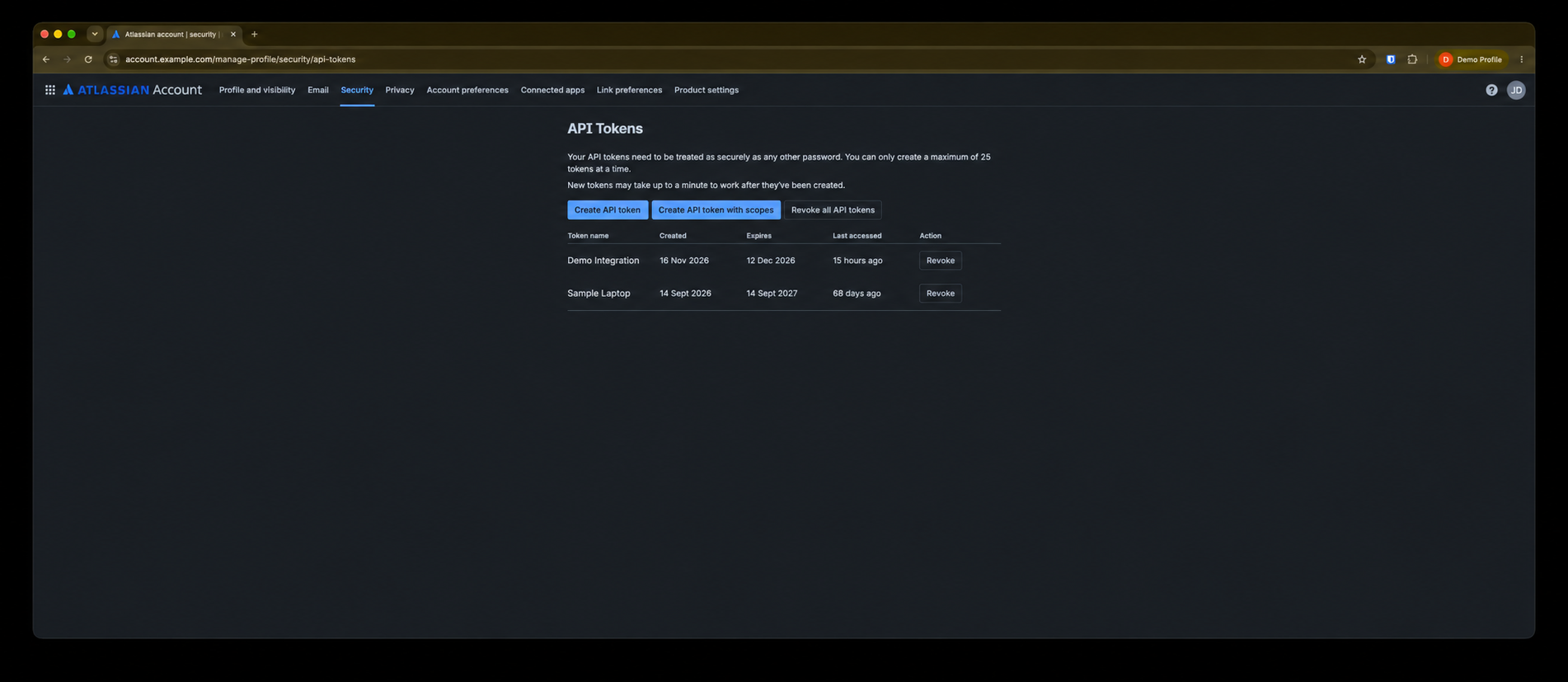
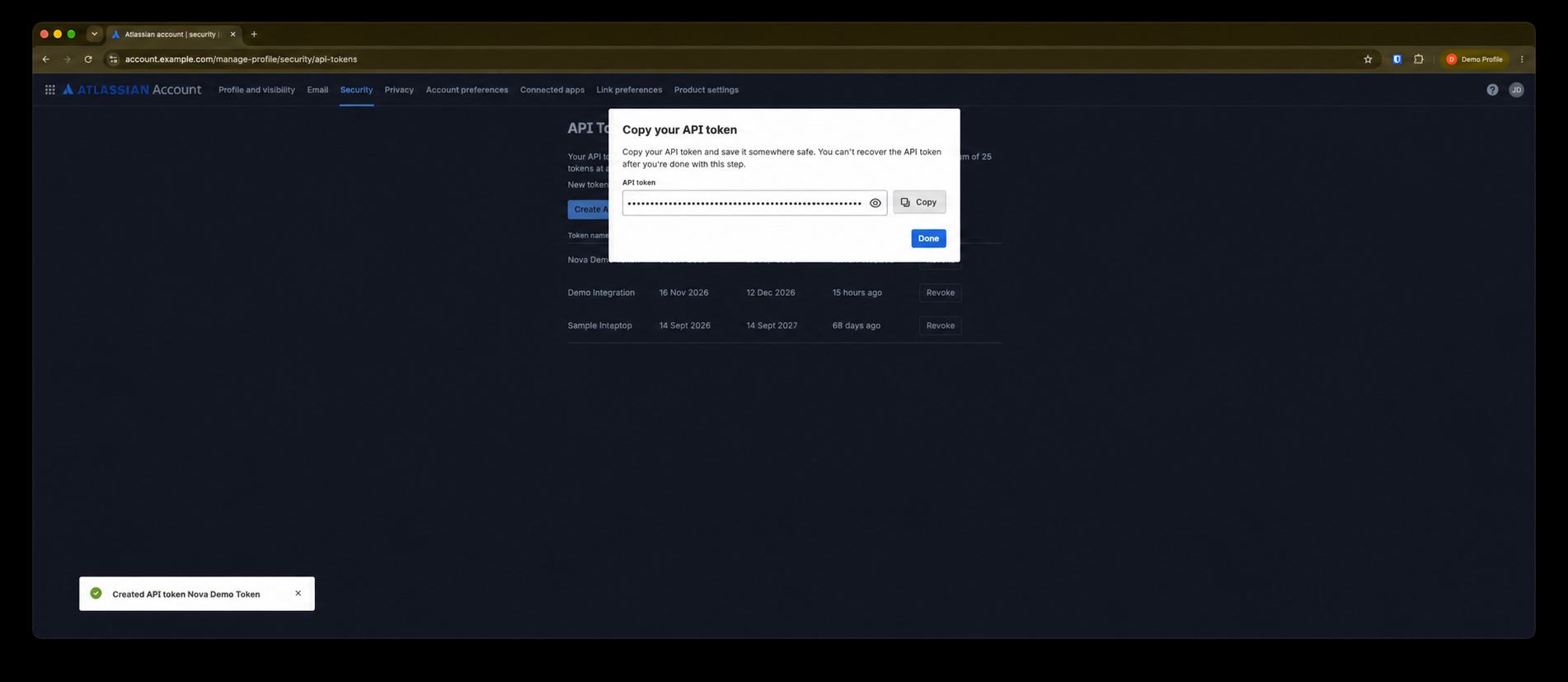
In your browser, open Atlassian account security and create an API token. Copy it once—Atlassian will not show it again—then paste into DevMetric during onboarding or System settings.

Atlassian Account Security page listing API tokens with Create API token button
Step A Atlassian Account → Security → API tokens
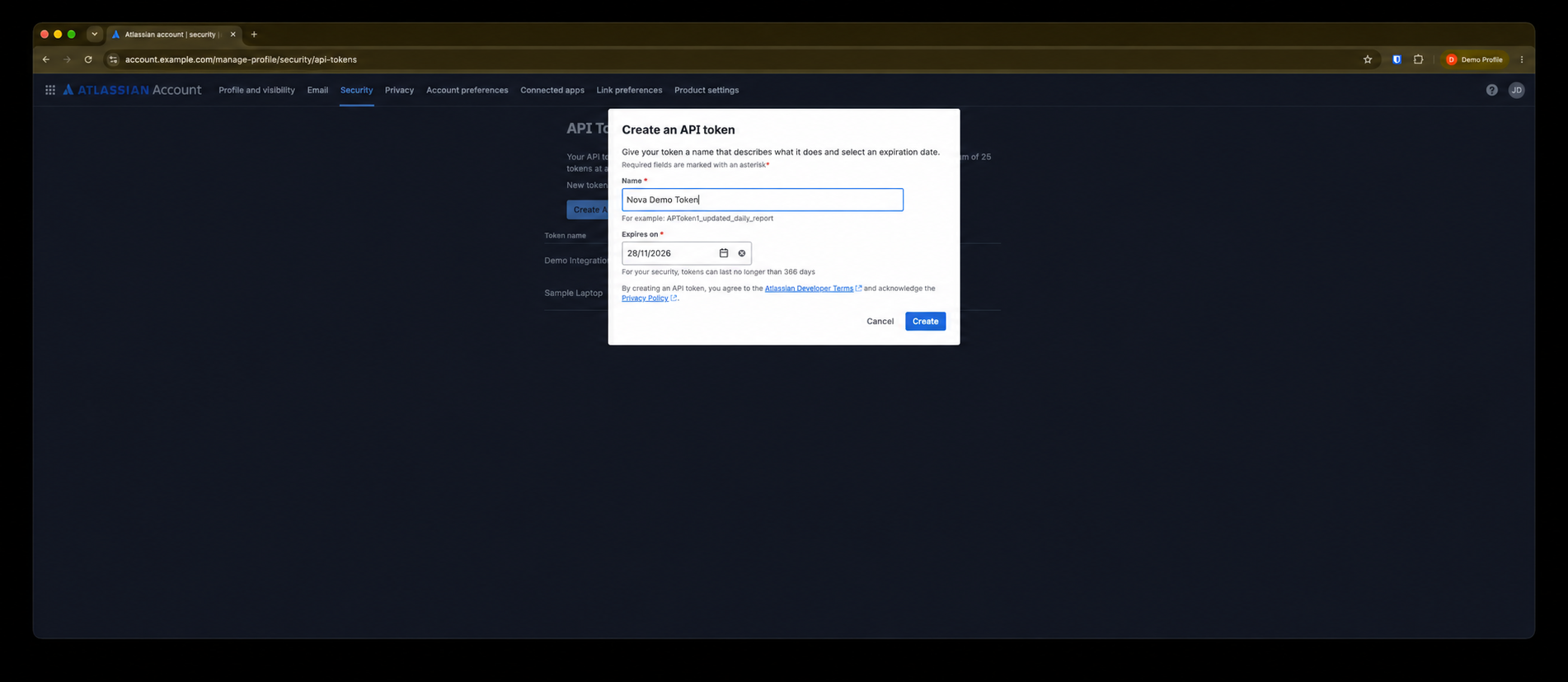
Create API token dialog with token name and expiry fields
Step B Create API token — name it (e.g. DevMetric) and choose an expiry
Copy API token dialog showing the new token value
Step C Copy the token, paste in DevMetric — verified, then Keychain

GitHub personal access token

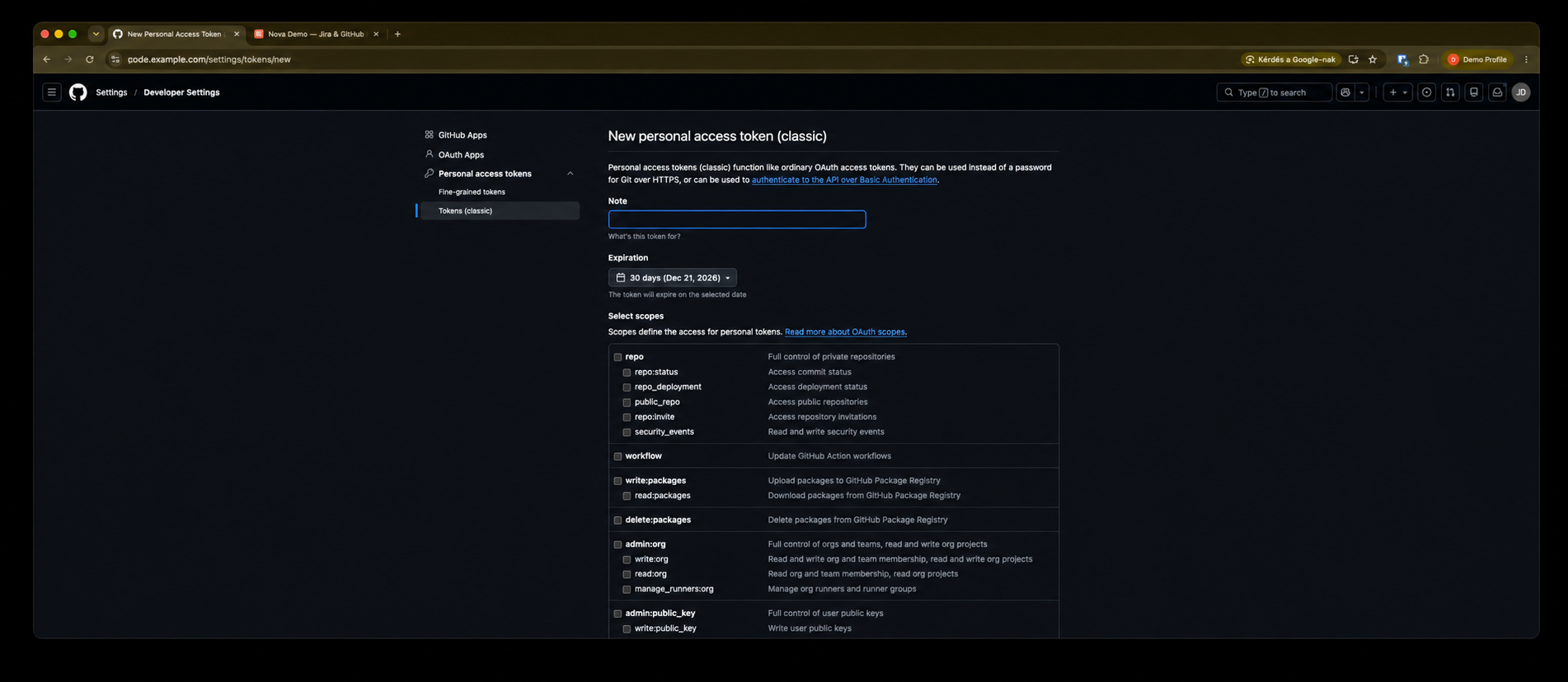
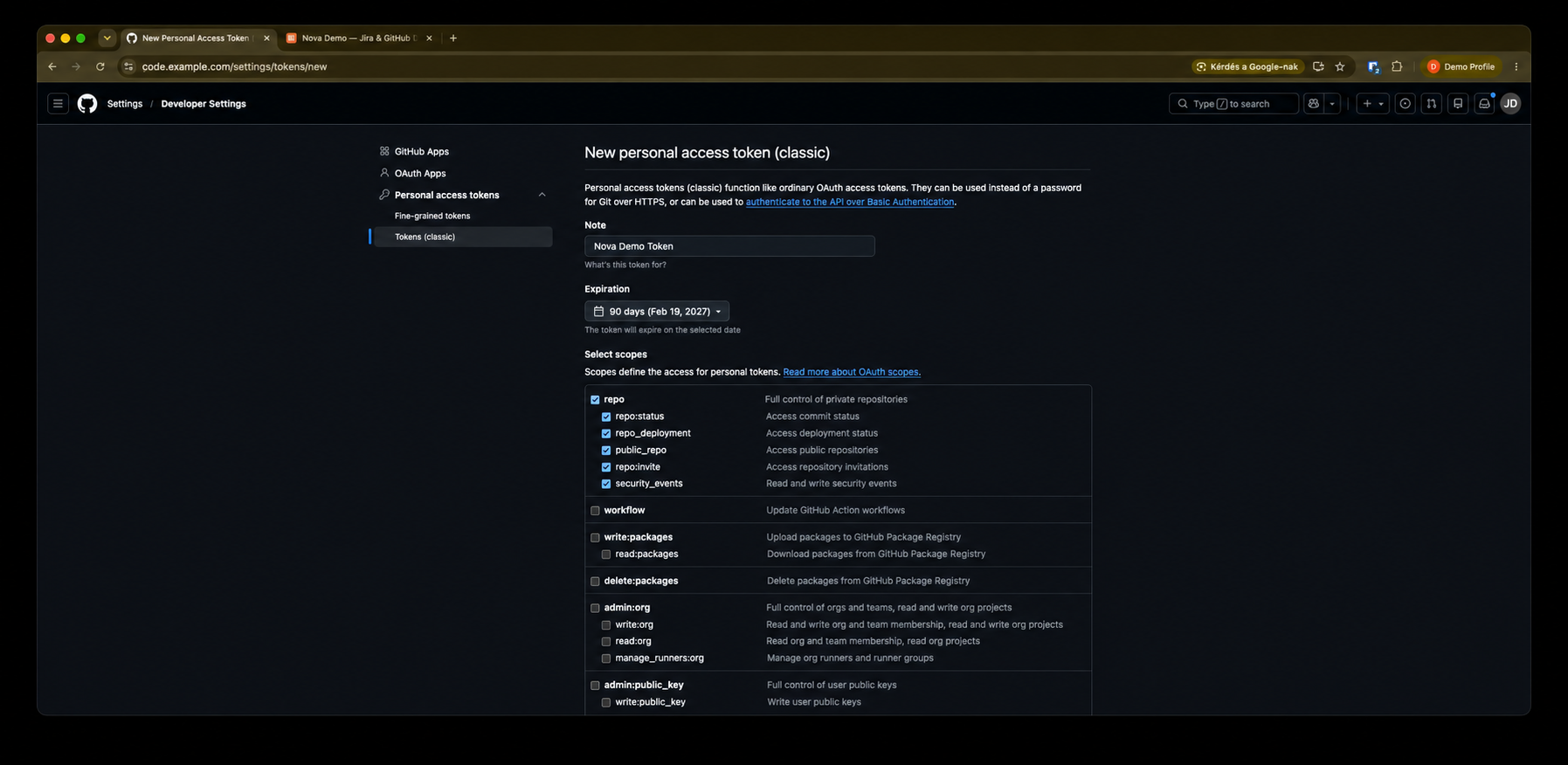
On GitHub, create a classic personal access token with read access to your org’s repositories (list repos, branches, commits, compare). Enable the repo scope for private repos, or public_repo if every linked repo is public. Paste the token in DevMetric during onboarding or System settings → GitHub; the app verifies with GitHub before saving to Keychain. If your org uses SSO, authorize the token for that org after creation.

GitHub Developer Settings with Personal access tokens classic and Generate new token
Step A Settings → Developer settings → Personal access tokens (classic) → Generate new token (classic)
New classic personal access token with note, expiration, and repo scope
Step B Name it (e.g. DevMetric), set expiration, check repo, then Generate token
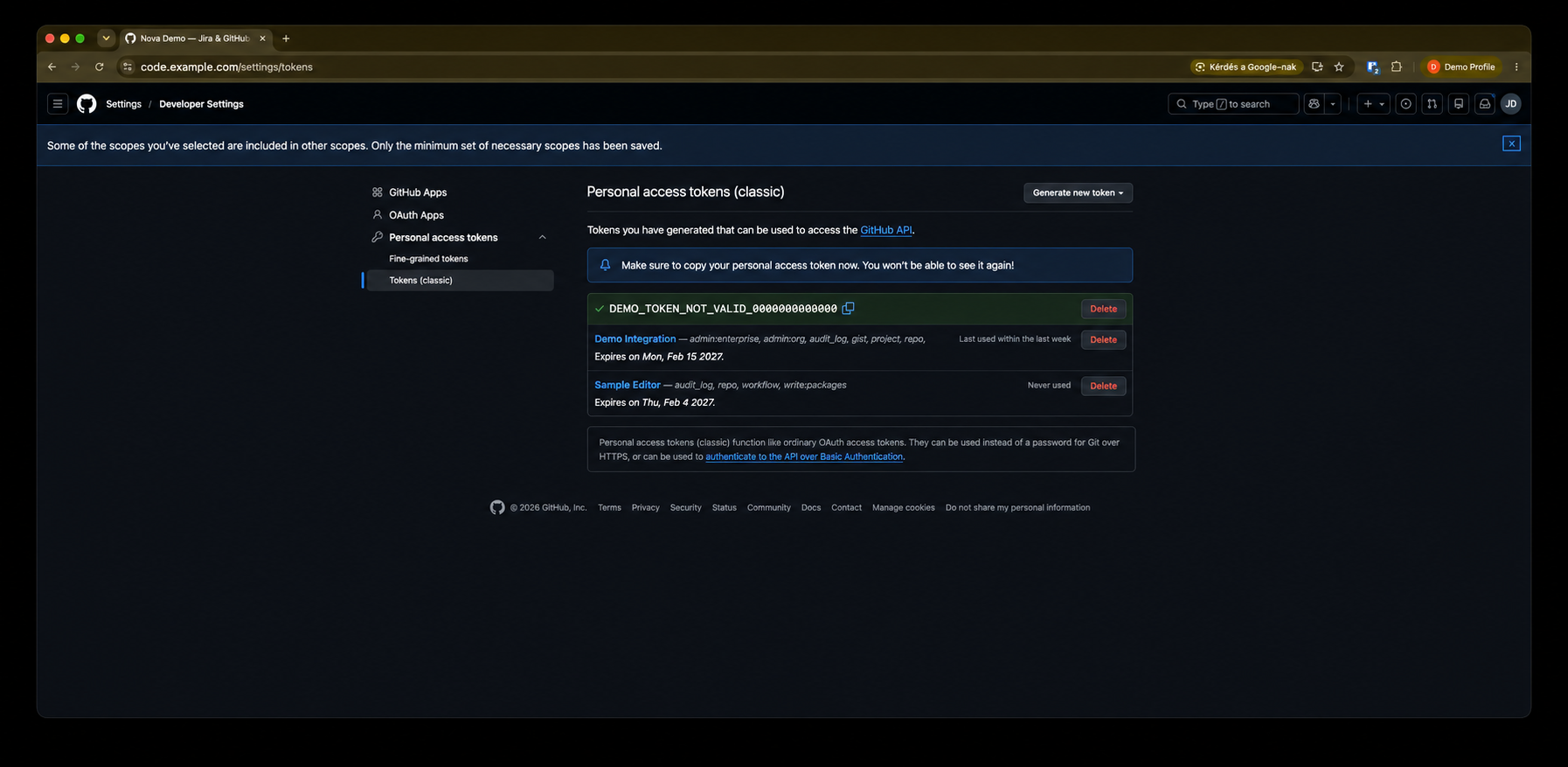
Copy your new classic personal access token once
Step C Copy the token once, paste in DevMetric — verified, then Keychain

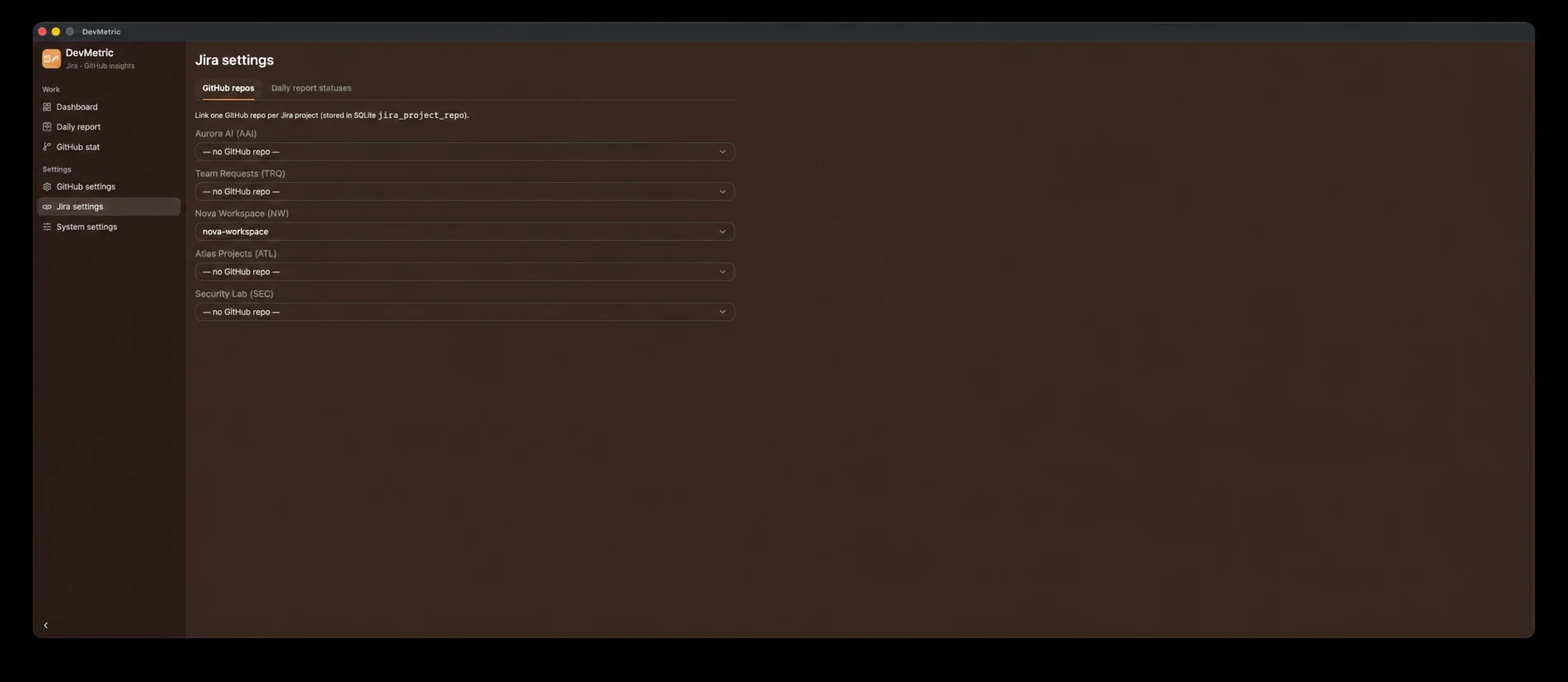
Link Jira projects to repos

Open Jira settings → GitHub repos and pick one GitHub repository per Jira project. This link powers Dashboard (linked projects only), Daily report branch pickers, and GitHub stat for that repo.

Daily rhythm

Dashboard for cross-project status charts; Daily report for standups (filter by assignee, map issues to branches, see commit dates); GitHub stat for branch metrics and main history. After setup, you may get a startup prompt to keep or refresh the GitHub stat cache; use Refresh now in the footer anytime for a full re-download of linked repos.

Screens that ship clarity

The same views you use every day—dashboard, daily report, GitHub stats, and settings. First launch walks you through setup; an optional feature tour explains the basics in plain language.

Dashboard

  • Only Jira projects with a repo link (Jira settings → GitHub repos).
  • Horizontal bars by project; per project, assignee × status and status totals.
  • Same hidden-status filter as the Daily report.
  • Data from live Jira JQL — no cached issue table.
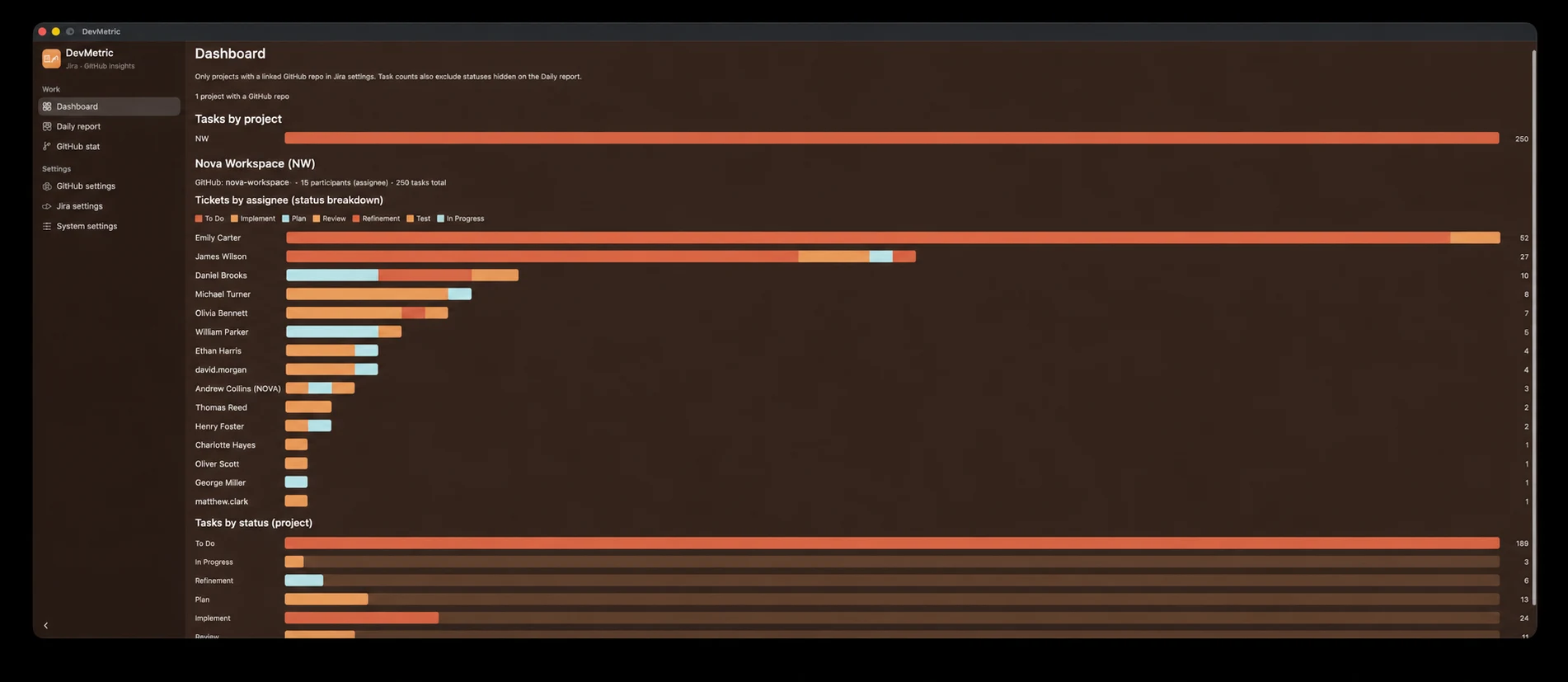
Dashboard with project task bars and assignee status chart

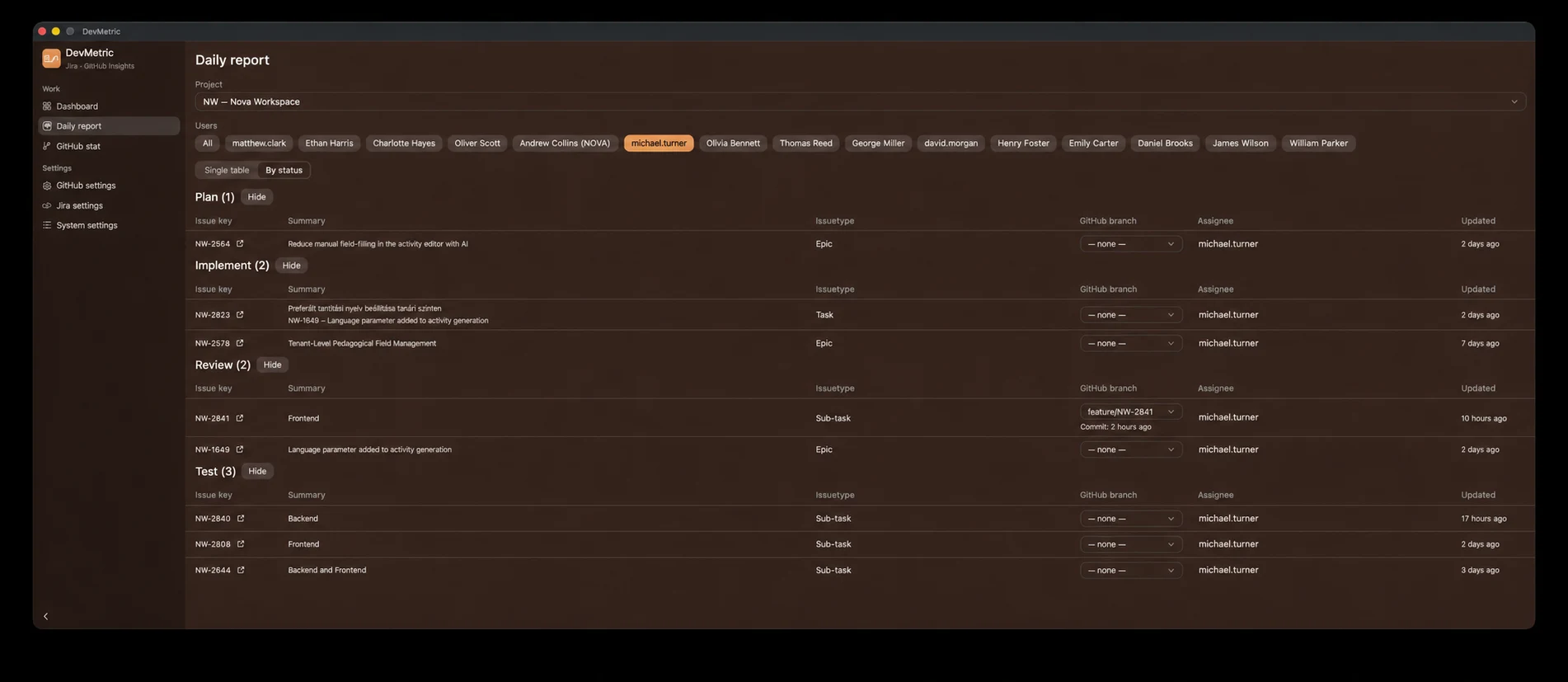
Daily report

  • Filter by project and assignee; flat list or grouped by status.
  • Pick a GitHub branch per issue; commit date from the GitHub API.
  • Branch inference from issue key or summary when no mapping exists.
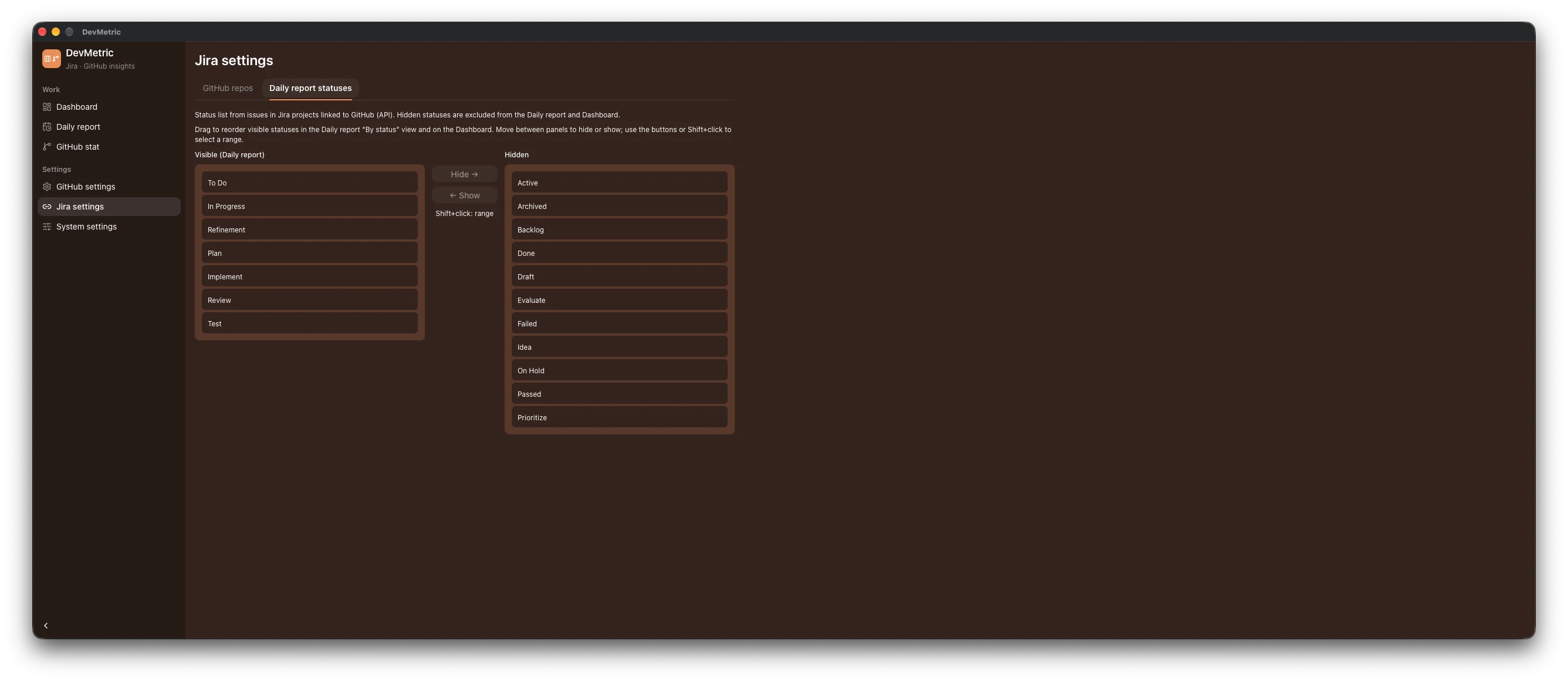
  • Status section order and visibility from Jira settings.
Daily report grouped by status with branch and commit columns

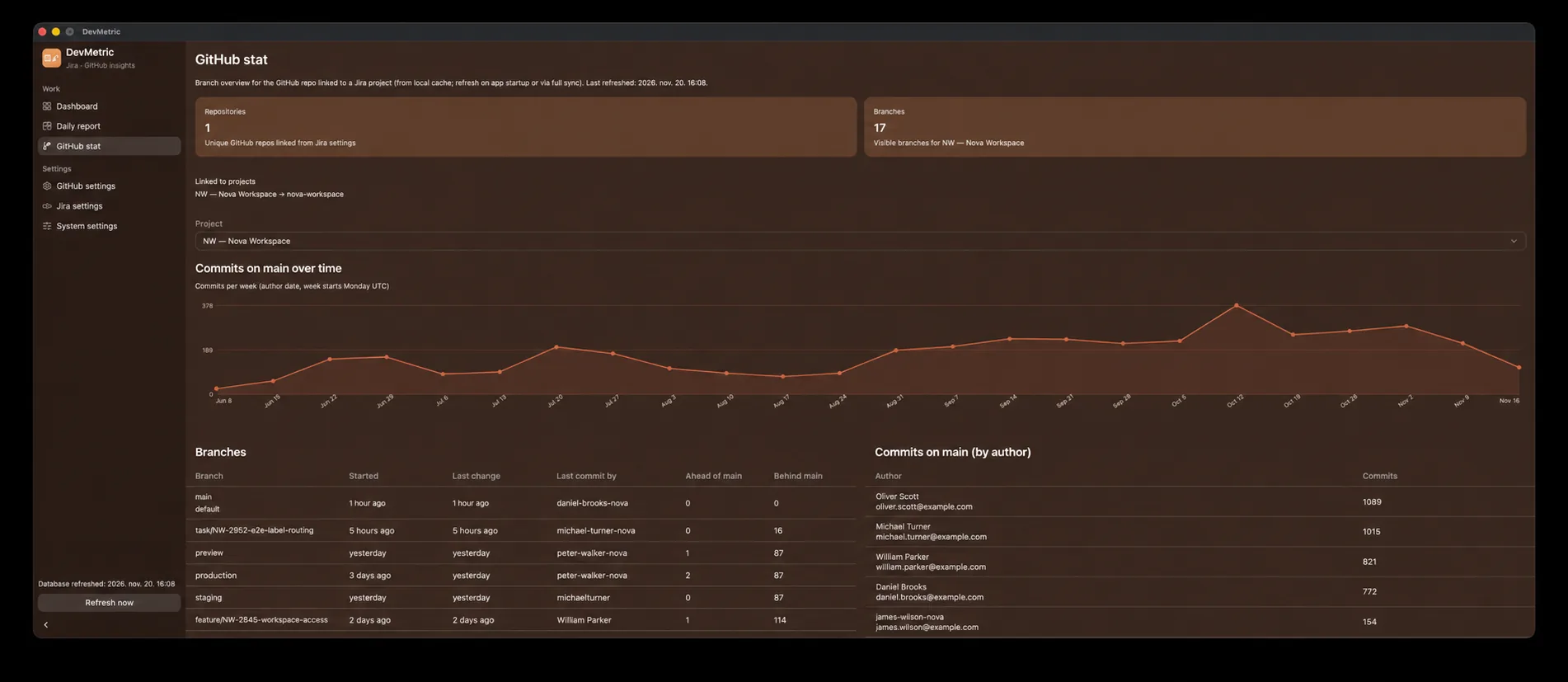
GitHub stat

  • Timeline of commit volume on main over time.
  • Branch table: ahead/behind vs default, last activity, tip author.
  • main commits grouped by author (email aliases from GitHub settings).
  • Hidden branches skip sync and the UI; reads SQLite cache until full refresh.
GitHub stat page with branch metrics and commits by author

Onboarding & settings

  • First launch: onboarding wizard—welcome, credentials (Keychain), connect Jira & GitHub, optional project→repo links and Daily report status panels.
  • Feature tour: plain-language slides after setup; replay via System settings → Application.
  • Jira settings: GitHub repo links; hide or reorder Daily report statuses.
  • GitHub settings: branch visibility; map alias commit emails for author stats.
  • System settings: Jira URL, email, GitHub org, token management, and Application reset.
Jira settings linking a project to a GitHub repository
Jira settings for daily report status order and disabled statuses